
Add or remove mailboxes
How to add an email inbox
After logging in to the myBox panel, select the “Email” tab, then the “+Add” button and the “New Inbox” option.
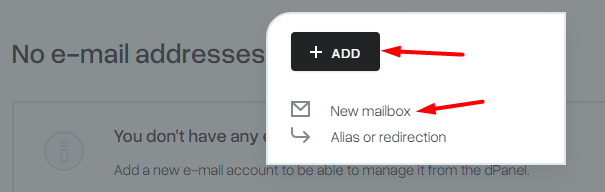
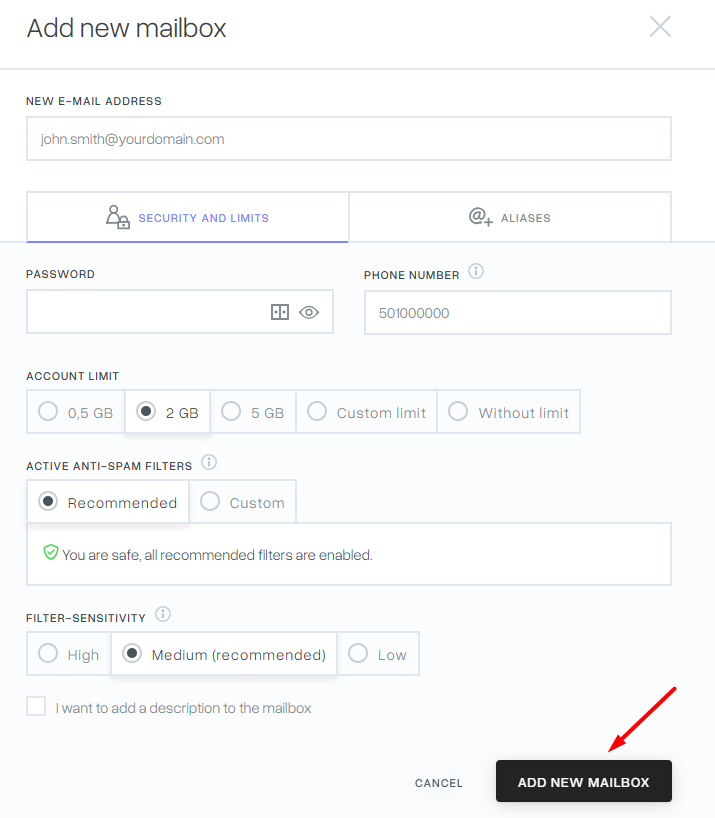
A form will be displayed, where you can specify exactly what parameters the mailbox should have. Additionally, you will have three categories of creating a box:
Protection and limits
Enter the name of the mailbox and the password for it.
You can enter a mobile phone – it is used only to send a password reminder or generate a new password for the mailbox.
Set a limit on the size of the box and specify what level of security you want the box to have.
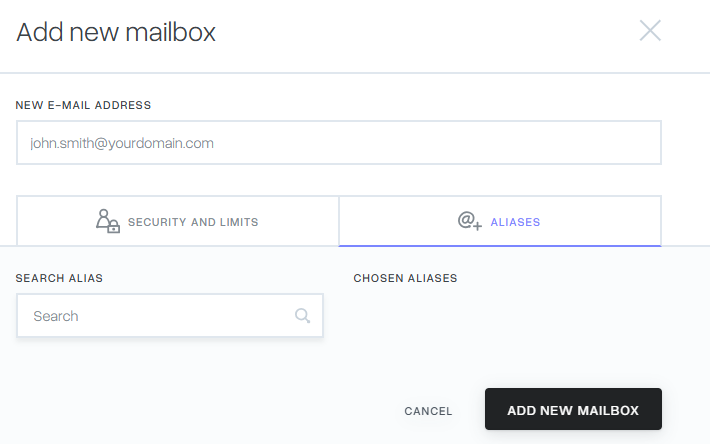
Aliases
When creating a mailbox, you can immediately define what email aliases you want it to have.
Delete an email inbox
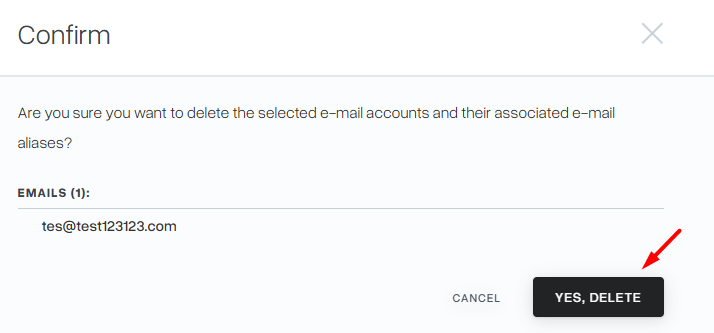
To delete a mailbox, click the “Actions” button to the right of the selected domain and select “Delete”.

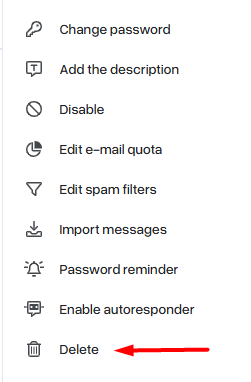
This will irreversibly delete the selected email box and all associations with it.
Didn't find an answer?
Our support team is here for you 24/7 – write to us and we will help you sort it out.