
Error message in Prestashop
In a situation where your Prestashop-based store displays the following error, it is usually enough to change the PHP version
Fatal error: Declaration of AdminLoginControllerCore::viewAccess() must be compatible with AdminControllerCore
How do I change the PHP version from the mybox panel?
1. Log in to the mybox panel and go to the “Websites” section.
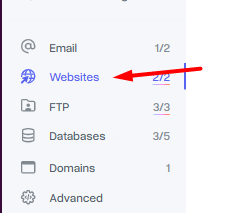
2. On the page that opens, you will find a list of websites associated with your customer account. On the right side of each of them there is a “Actions” button.
Click on it, then select “Edit” from the drop-down list.

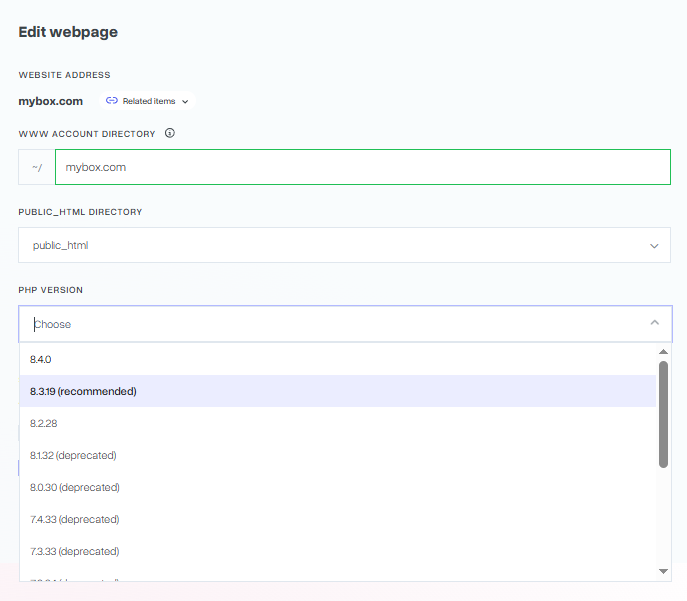
3. In the window that appears, you will find a drop-down list of currently available PHP versions.
Select the version you want to use from it and save the changes by clicking on the “Save” button.
Keep in mind that the change will not be immediate. As a rule, the system will refresh the settings after about 5 minutes after saving the changes.
Didn't find an answer?
Our support team is here for you 24/7 – write to us and we will help you sort it out.