
How to activate HTTPS on a Joomla-based website?
In order for your website based on the Joomla CSM script to work properly with the SSL certificate, which is installed by default for the websites you have in mybox, you need to follow a few simple steps.
1. Log in to the backend of your Joomla-based website
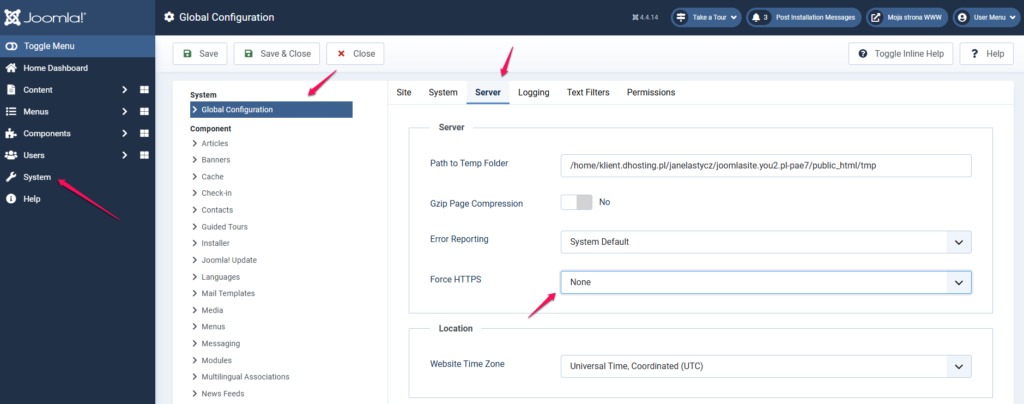
2. From the menu on the left, select System, and then from the list of items, select Global Configuration.
3. On the page that appears, select the Server tab and next to Force HTTPS, select Entire Site from the drop-down list.
4. Click Apply or Save and close if you don’t plan to make any further changes to the configuration.
Didn't find an answer?
Our support team is here for you 24/7 – write to us and we will help you sort it out.