
How to create a recurring task in mail.mybox.com
To set a recurring task, log in to your mailbox at mail.mybox.com and then click the orange icon on the right to go to your tasks.
When creating or editing a task, go to the Recurrence tab , where you can specify whether the task should repeat at a specific time interval.
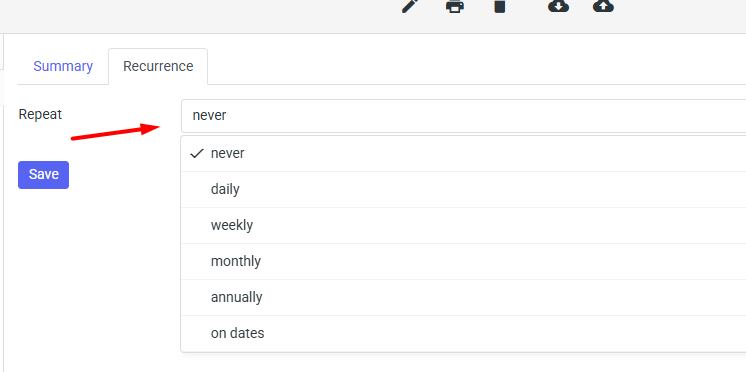
From the drop-down list, you can choose to repeat the task every day, every week, every month, every year, or according to your own schedule.
Once you have finished filling out the form, click the “Save” button .
Didn't find an answer?
Our support team is here for you 24/7 – write to us and we will help you sort it out.