
How to display tasks in webmail from a specific list
After logging in to the mybox webmail and going to tasks by clicking the orange icon , on the left you will find lists of tasks that have been previously created.
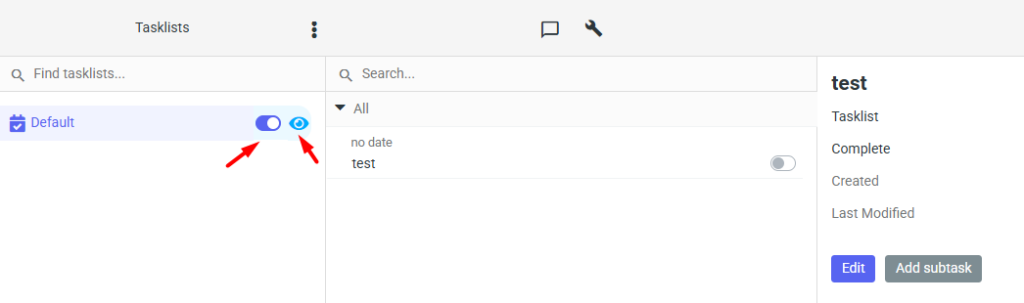
Here, by clicking the slider icon you can activate or completely hide the selected list, and by clicking the eye icon you can display only the tasks from the specified list.
Didn't find an answer?
Our support team is here for you 24/7 – write to us and we will help you sort it out.