
Skip to content
mybox Help Center

Help sections

  • Getting Started
  • Account & Billing
  • Domains & DNS
  • Hosting & Servers
  • Email
  • Security & SSL
  • WordPress & CMS
  • Grow Online
mybox.com All services operational
/

Language

  • English
  • Română
  • mybox panel
  • Webmail
Start free
/
  • Getting Started
  • Account & Billing
  • Domains & DNS
  • Hosting & Servers
  • Email
  • Security & SSL
  • WordPress & CMS
  • Grow Online
  • Help Center
  • mybox.com
  • English
  • Română
All services operational Start free
  1. Help Center
  2. Account & Billing
  3. Service & Resource Management
How-to Account & Billing

Manage database users

Updated February 11, 2026 1 min read

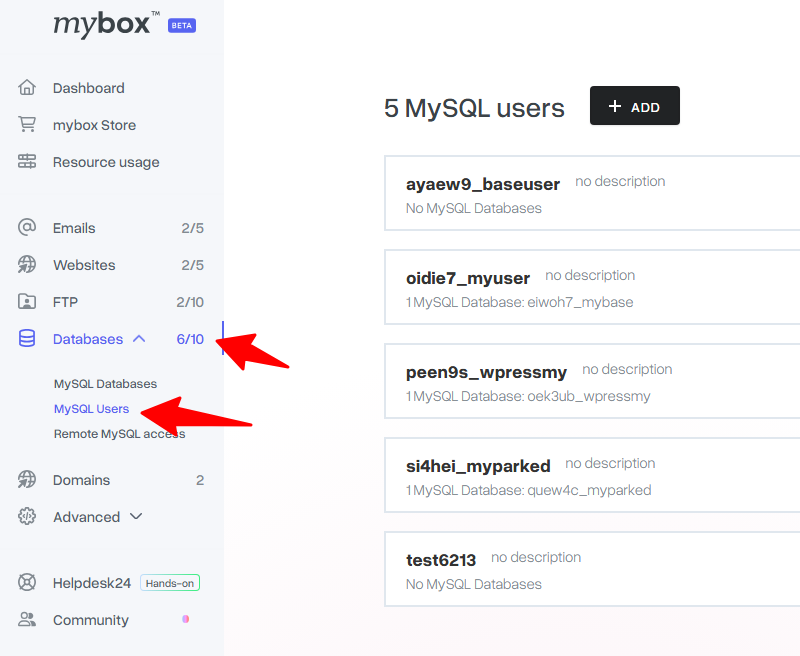
To view all users currently able to use databases, select Databases in the the mybox panel, and then MySQL Users.
Manage database users

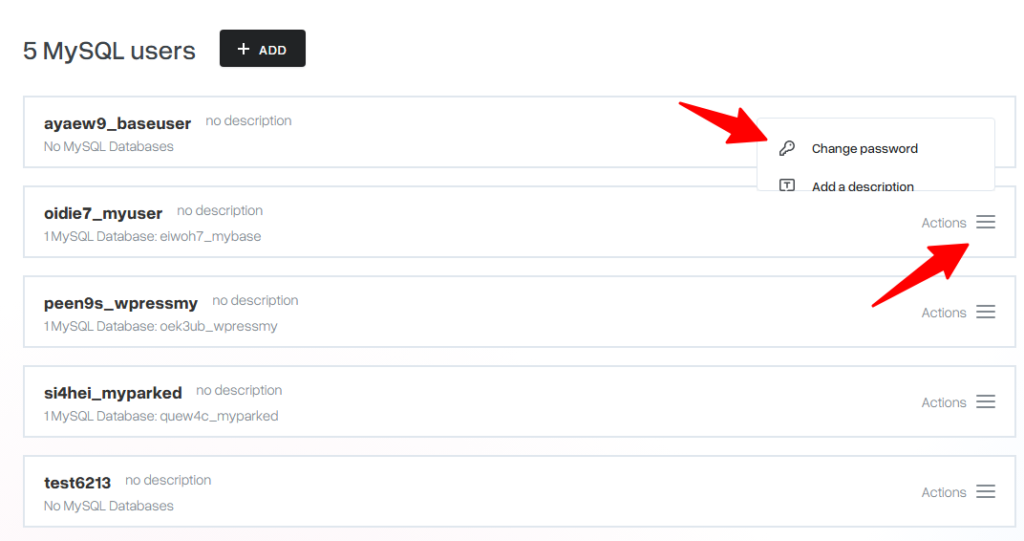
After performing this operation, you can change the password of the selected user by clicking on the link with this title and entering the new password in the form.
Manage database users – 2

Remember that changing the password in the mybox panel does not update it in the configuration files of the pages!

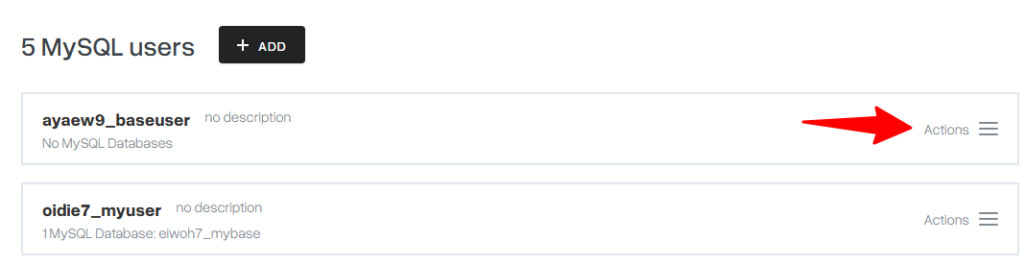
Using the Actions menu on the right side of the user list, you can assign a database to the user or add a description to the user.
Manage database users – 3
  • Add description – allows you to create a short description of a given user, you can enter here, for example, which website the user is assigned to
  • Assign database – You can assign a new or another database for the specified user.
  • Delete – Permanently deletes the user. Deletion will not be possible if any database is assigned to the specified user.
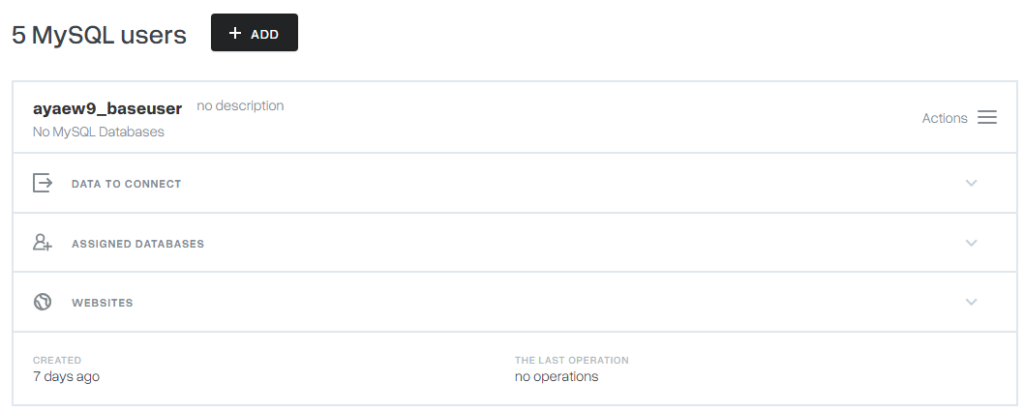
  • Clicking on the username or “Details” next to the username will bring up the details.
  • General information – here you will find when a given user was created and from which IP address. The last operation is also displayed.
Manage database users – 4

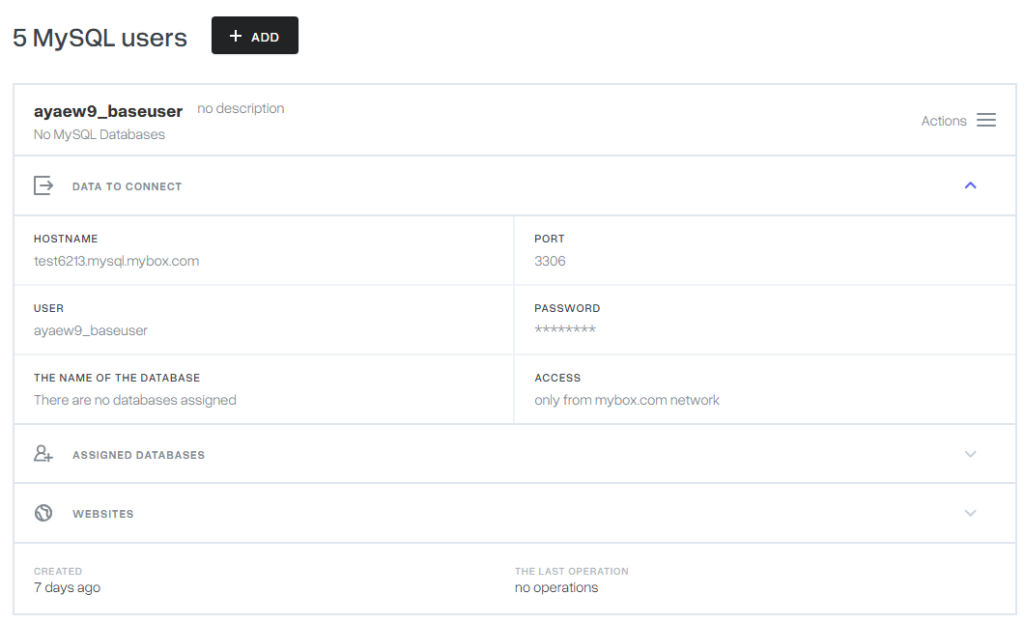
Connection data – all the necessary data to connect to the selected user.
Manage database users – 5

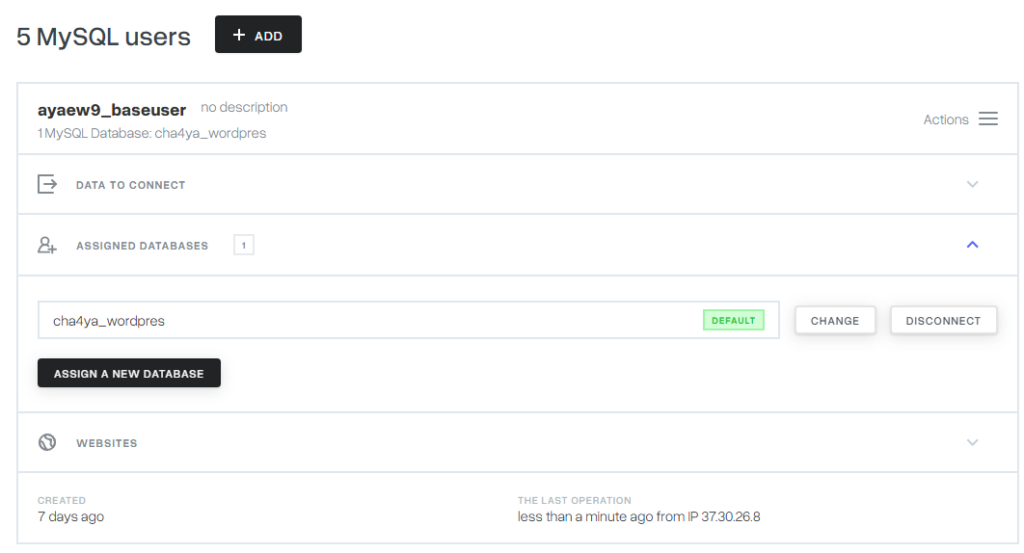
Assigned databases – you can check which databases are assigned to the specified user. You can also specify permissions for individual databases or assign another database here.
Manage database users – 6

Was this article helpful?

Didn't find an answer?

Our support team is here for you 24/7 – write to us and we will help you sort it out.

Helpdesk 24/7 Open a ticket in the mybox panel mybox panel Log in and manage your services

Related articles

All in Service & Resource Management
How-to Getting Started with mybox How to order a website to be transferred from another hosting At mybox, we provide comprehensive assistance with the transfer of websites and mailboxes from your current hosting provider. This migration process is… 2 min read How-to Getting Started with mybox Ordering a website and email migration to mybox The mybox team can migrate your website and email from your current hosting provider. To request a migration, you need to activate… 1 min read How-to Getting Started with mybox How to migrate a website to mybox Migrating a website to mybox means copying your files, database, and email content from your current hosting provider and pointing your domain… 2 min read
mybox

Modular web hosting – free out of the box, modular to grow.

Help sections

  • Getting Started
  • Account & Billing
  • Domains & DNS
  • Hosting & Servers
  • Email
  • Security & SSL
  • WordPress & CMS
  • Grow Online

mybox

  • mybox.com
  • mybox panel
  • Webmail
  • Helpdesk 24/7
© 2026 mybox 1,680 articles