
Parked domain details
To check the exact information related to the parked domain, simply click on its name or the Status button.
There may be a situation where instead of the Status button, there will be a red Problems button. When you click on it, a button will appear in the list with the option to go to the detected problems related to the domain.
Registered – information whether the domain is registered on a given hosting account, if it is registered, information about who its subscriber is displayed. If the domain is not with a given account, it is possible to transfer it.
In addition, if the domain is registered with a given account, it is possible to use the functionality of hiding data in public WHOIS search engines.
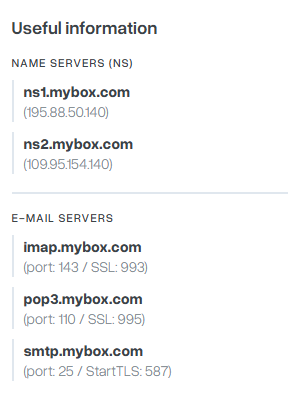
Delegation – information from where the domain is loaded. Here you will find information about the server names that the domain points to and when this data was last updated.
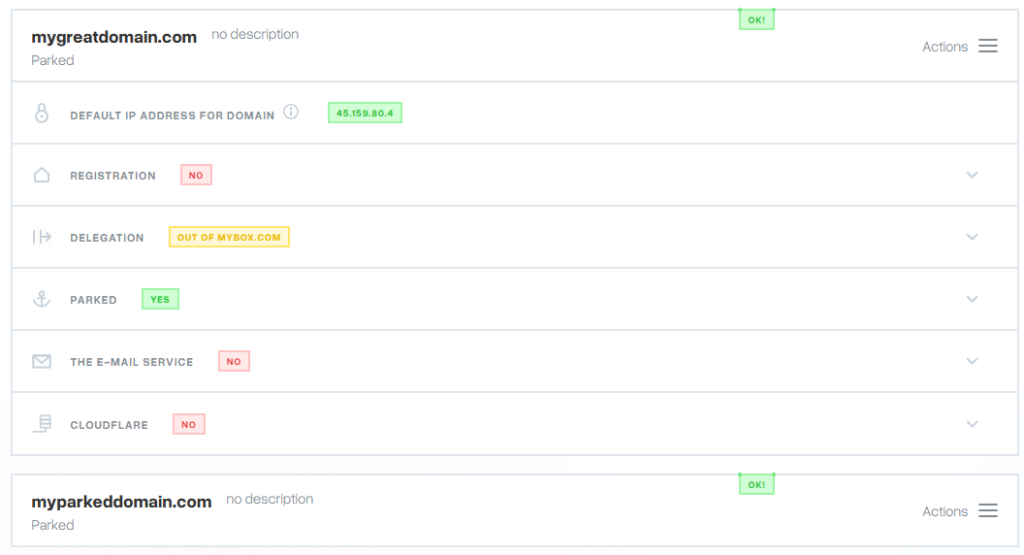
Parked – information whether the indicated domain is parked next to a given account. You can either go to manage your domain or park it here. You can find how to manage your domain here.
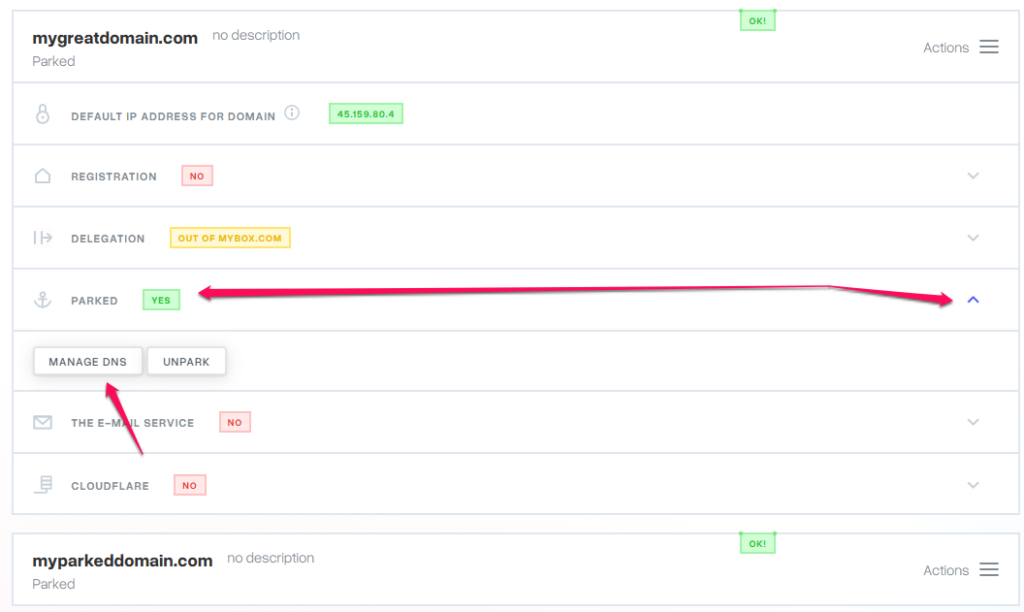
Mail service – information whether mail is active in a given domain (whether it is possible to receive and send emails from all mailboxes ending with the end of the selected domain). You can activate or deactivate mail activity here.
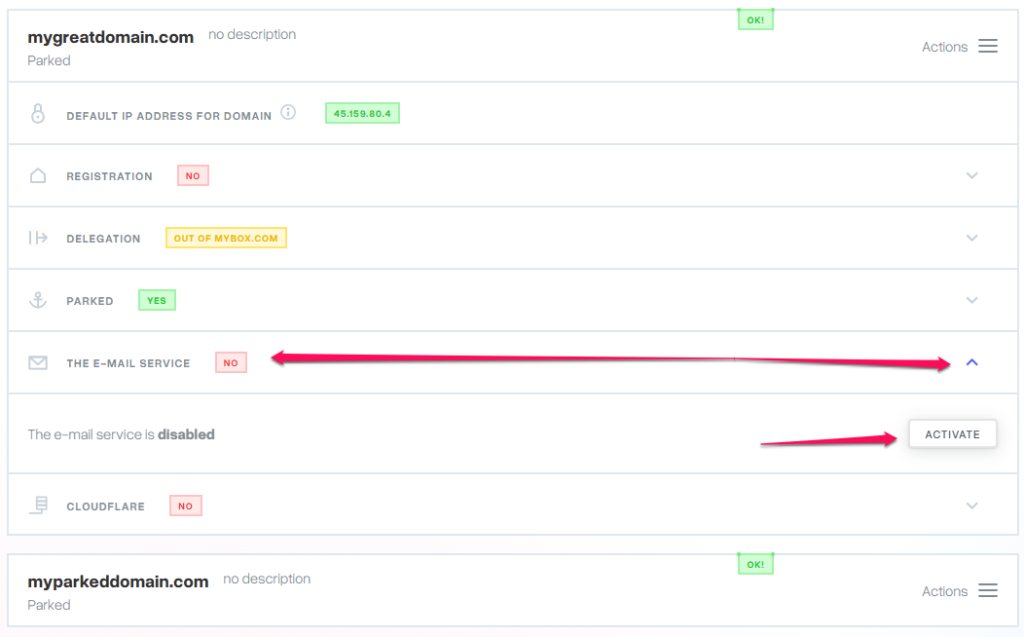
You can also use the Actions button on the right side next to the domain of your choice to have quick access to the most important options.
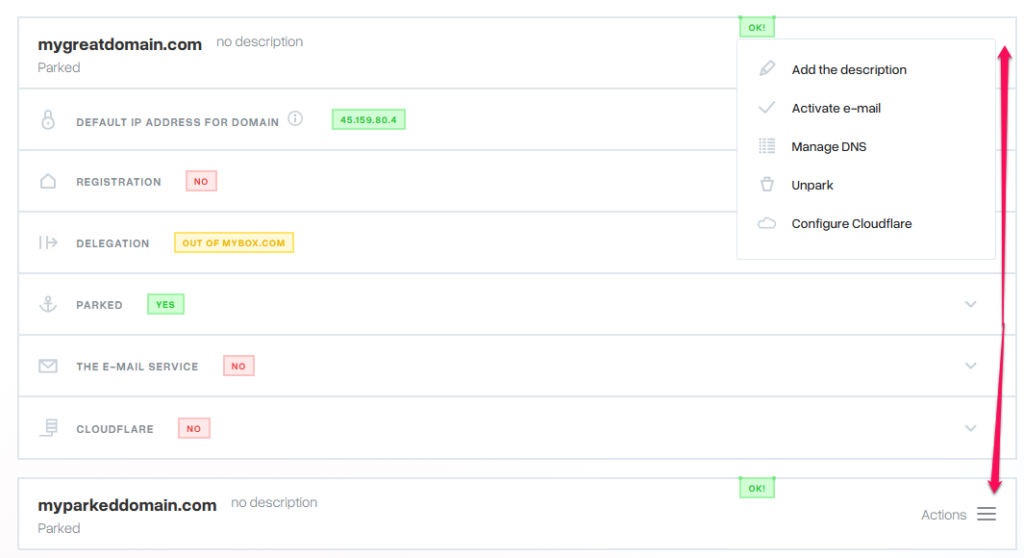
- Transfer – you can quickly transfer the domain of your choice to a given hosting account, more information can be found here.
- Deactivate mail – disable the mail service for the selected domain.
- Change your IP address – If your service allows it, you can change the IP address of a given domain.
- Manage DNS – the ability to edit the DNS of a given domain, more information can be found here.
- Park – Unpark the domain. Parking will not be possible if any services (mailboxes or websites) are in the hosting account.
Didn't find an answer?
Our support team is here for you 24/7 – write to us and we will help you sort it out.