
Change your email password
If you have forgotten or lost the password to your e-mail box, you have the option to change it from the mybox panel level.
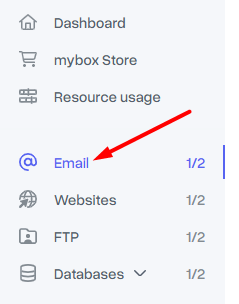
In the first step, go to the “Email” tab located in the menu on the left.
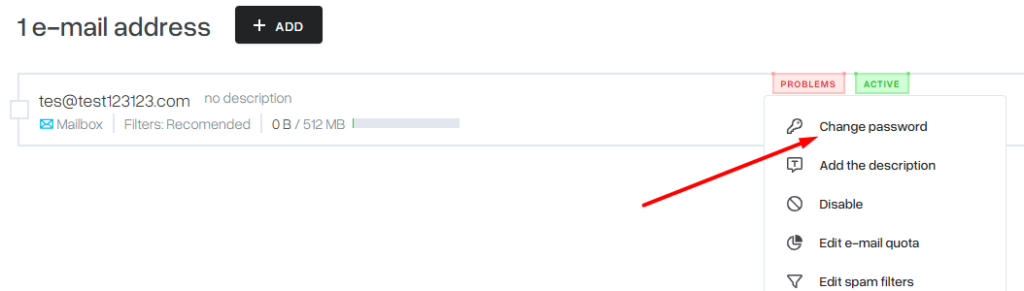
Then, next to the selected mailbox, click on the “Actions” button, where you will find the “Change password” option.
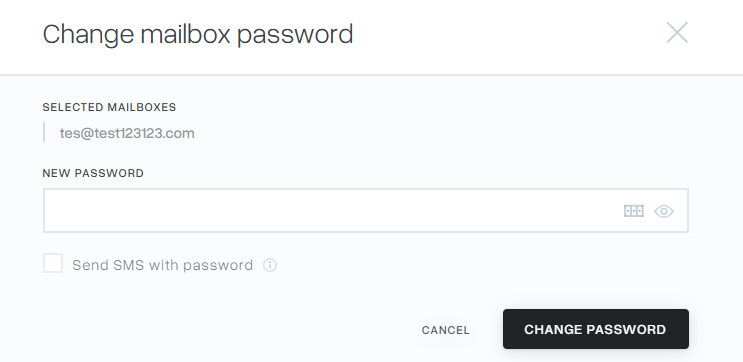
The last step will be to enter the new password in the window that appears and save the changes by clicking the “Change password” button.
Didn't find an answer?
Our support team is here for you 24/7 – write to us and we will help you sort it out.