
How do I add a page on a subdomain?
If you want to host a website on a subdomain instead of your main domain, you can do so directly from the mybox Panel in just a few steps.
For example, if your main domain is:
yourdomain.comyou can create a website on a subdomain such as:
blog.yourdomain.comBefore You Begin
Make sure that the main domain:
- Has been registered through mybox, or
- Has been added (parked) to your mybox account
The subdomain will be created within the DNS zone of the main domain.
Information on how to park a domain can be found HERE.
1. Log in to the mybox panel and go to the section: “Websites”
2. Click the button to add a new page – “+ Add”, and then specify whether it should be a blank page, where you plan to install/upload files via FTP, or if you want to install one of the available applications such as “WordPress“, “Joomla”, “PrestaShop” , etc.

3. In the first field, you specify the address at which the page you add will work, and this field is the most important in the situation we are describing. Start typing the name of your choice, so as an example: blog.yourdomain.com.. Then go through the remaining fields. You don’t need to modify them, because apart from the PHP version, which may be specific to proprietary scripts, they will not have any meaning and impact on the correct operation of your new website.
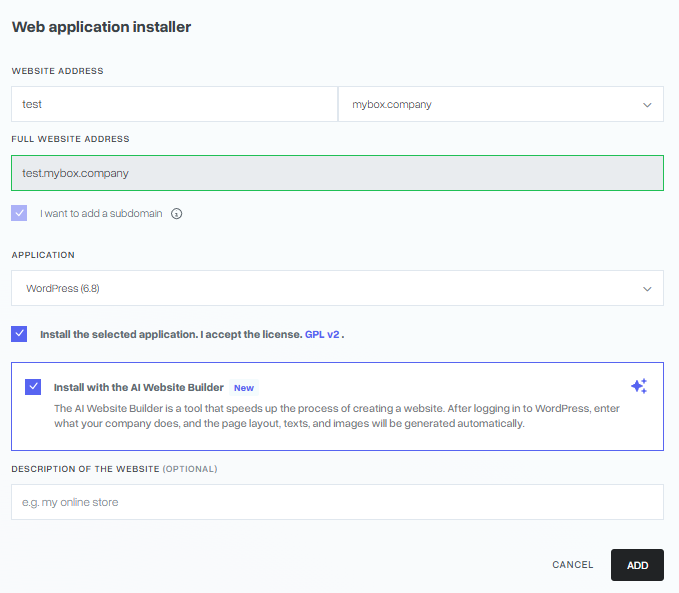
or when choosing to add a blank web page, which we will do in our example:
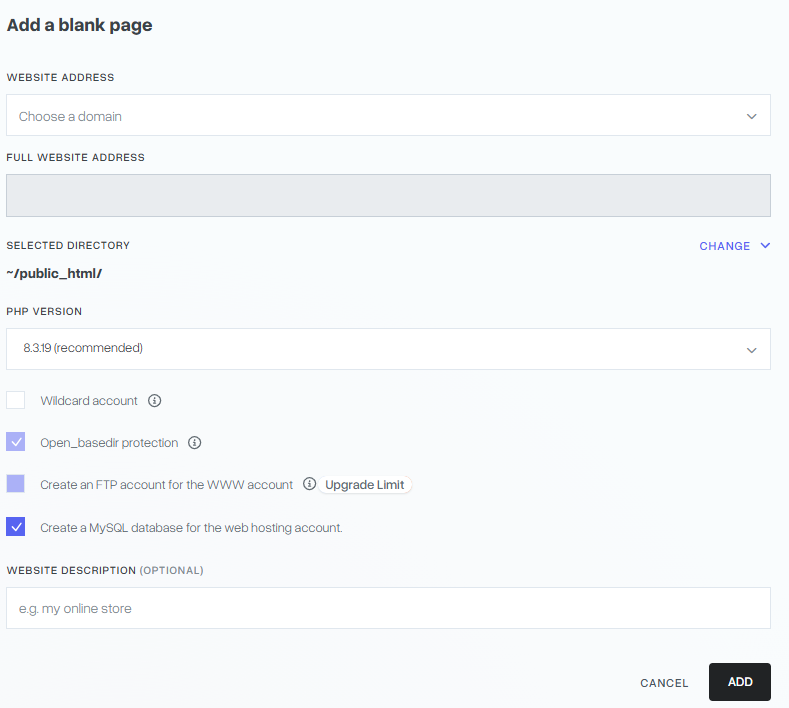
4. After a while, you will receive a summary in the window that appears.
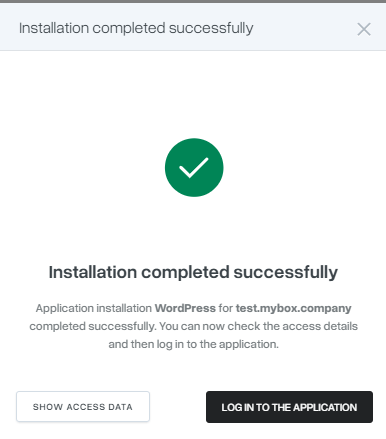
Click on the “Show access data” button Keep the data presented there.
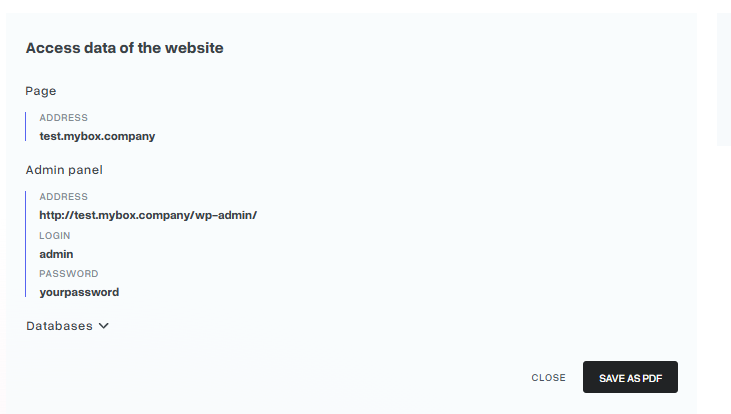
Summary
To create a website on a subdomain:
- Ensure the main domain is already added to your mybox account.
- Go to Websites.
- Click + Add.
- Choose a Blank Website or an application installer.
- Enter the full subdomain address.
- Save the access details provided after installation.
- Allow time for DNS propagation if necessary.
Your new website will then be available under the chosen subdomain, completely independent of the main website hosted on the root domain.
Didn't find an answer?
Our support team is here for you 24/7 – write to us and we will help you sort it out.