Skip to content
mybox Help Center

Help sections

  • Getting Started
  • Account & Billing
  • Domains & DNS
  • Hosting & Servers
  • Email
  • Security & SSL
  • WordPress & CMS
  • Grow Online
mybox.com All services operational
/

Language

  • English
  • Română
  • mybox panel
  • Webmail
Start free
/
  • Getting Started
  • Account & Billing
  • Domains & DNS
  • Hosting & Servers
  • Email
  • Security & SSL
  • WordPress & CMS
  • Grow Online
  • Help Center
  • mybox.com
  • English
  • Română
All services operational Start free
  1. Help Center
  2. Email
  3. Mailbox & Webmail Management
Explainer Email

List of possible actions for a mailbox

Updated June 2, 2026 1 min read
On this page
  1. Available actions
  2. Change description
  3. Change password
  4. Turn off
  5. Edit quota
  6. Edit AntiSpam
  7. Import messages
  8. Change password reminder
  9. Delete
  10. Collective actions
  11. Summary

Mailbox management in mybox is handled through the Actions menu available next to each email account in the mailboxes list. This menu contains all key operations for managing email accounts, including security, storage, and configuration settings.

Available actions
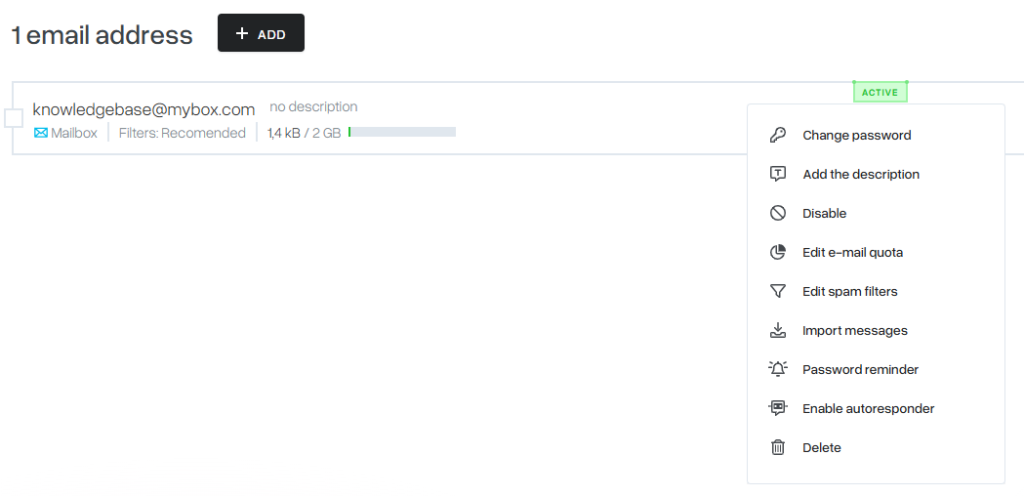
List of possible actions for a mailbox

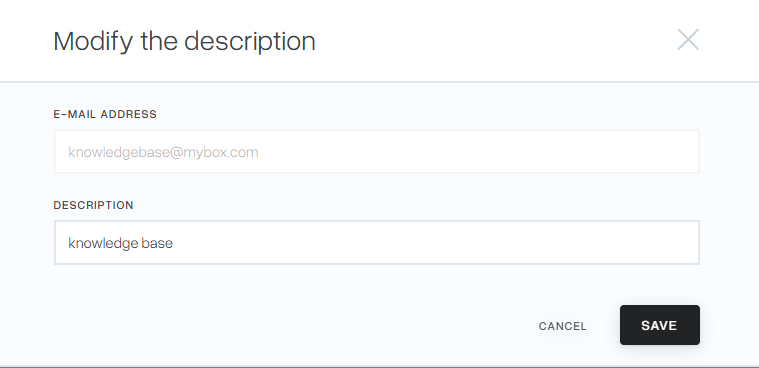
Change description

List of possible actions for a mailbox – 2

You can assign or update a description for the mailbox.

The description is displayed next to the mailbox name to help identify it more easily in the panel.

Change password
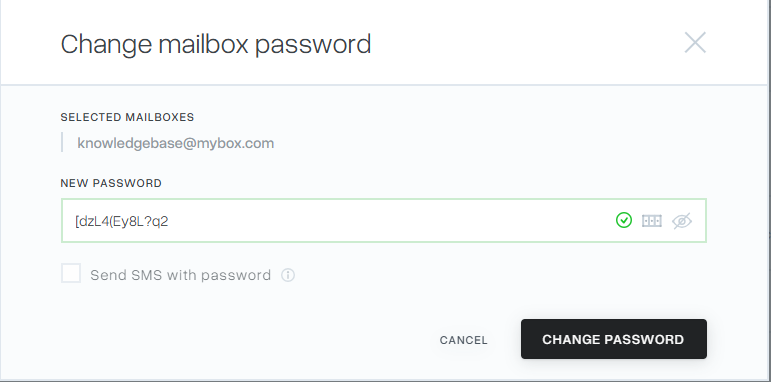
List of possible actions for a mailbox – 3

Allows you to change the password for the email account.

If a mobile phone number is linked to the account, the new password can be delivered via SMS.

Turn off
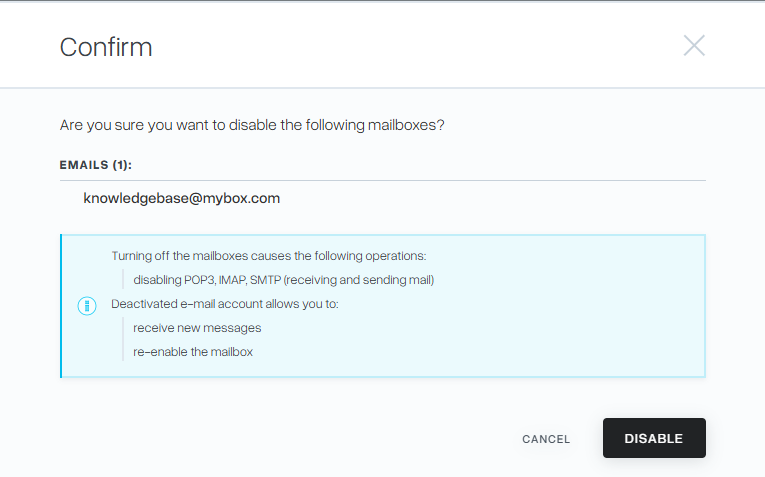
List of possible actions for a mailbox – 4

Disables the mailbox without deleting it.

A disabled mailbox remains visible in the list and can be reactivated later.

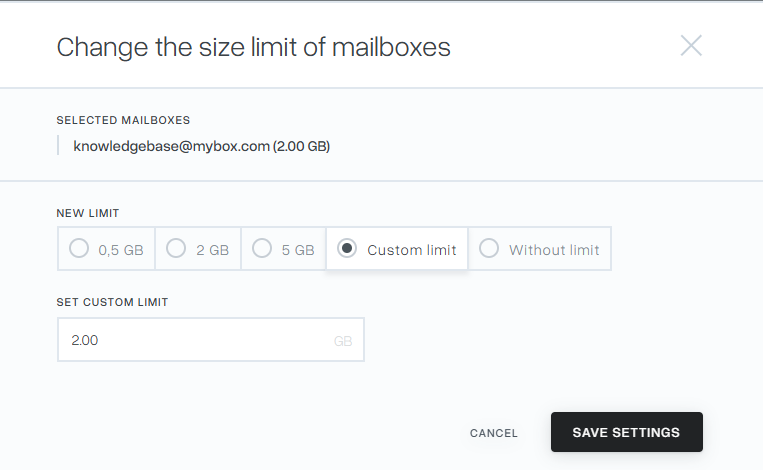
Edit quota
List of possible actions for a mailbox – 5

Defines the storage limit for the mailbox.

This controls how much data the mailbox can store before it becomes full.

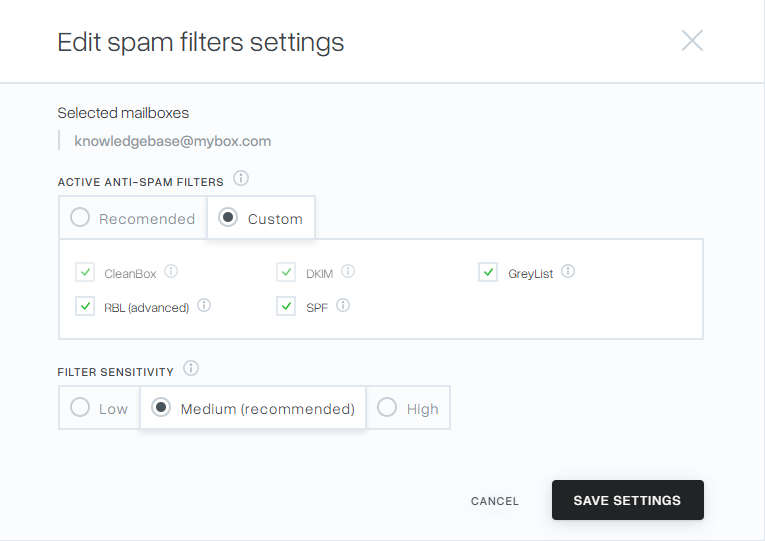
Edit AntiSpam
List of possible actions for a mailbox – 6

Allows configuration of spam filtering settings for the mailbox.

You can adjust filter sensitivity and behavior based on your needs.

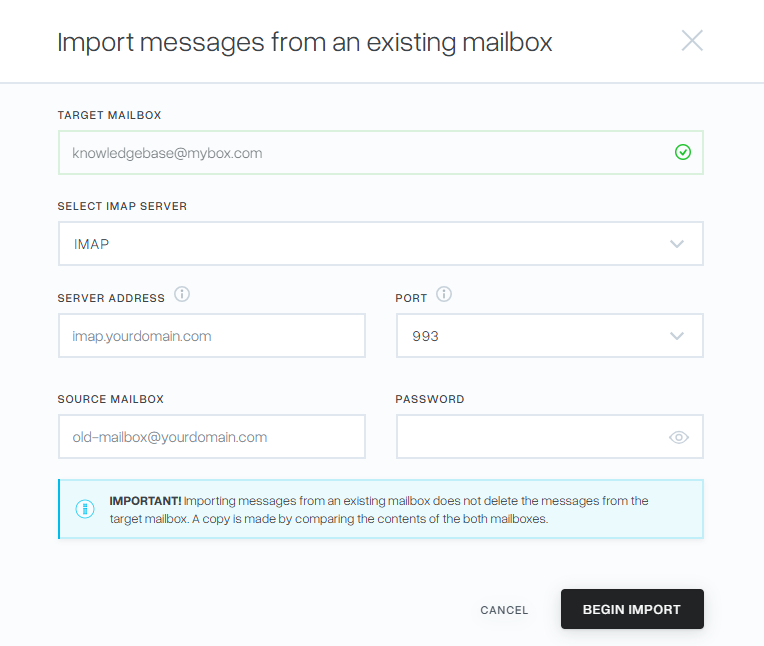
Import messages
List of possible actions for a mailbox – 7

Enables migration of emails from another provider or mailbox.

You need to provide:

  • source mail server address
  • mailbox name
  • mailbox password

Once started, the system imports messages into the target mailbox and notifies you when the process is complete.

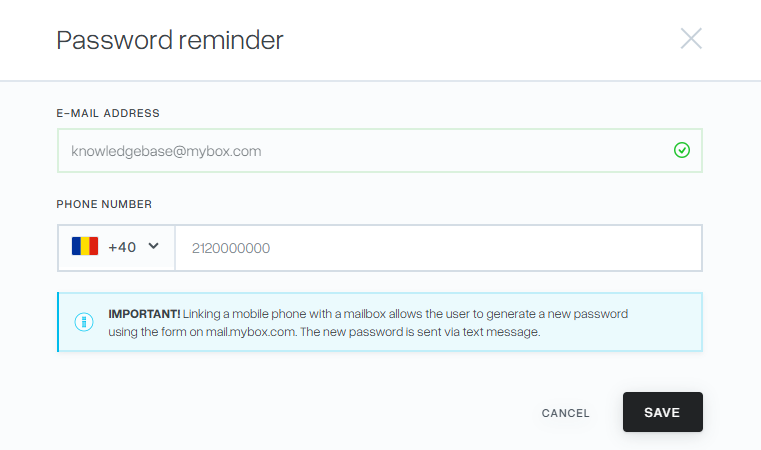
Change password reminder
List of possible actions for a mailbox – 8

Assigns or updates a phone number used for password recovery.

This allows password reset via SMS using a recovery form.

Delete
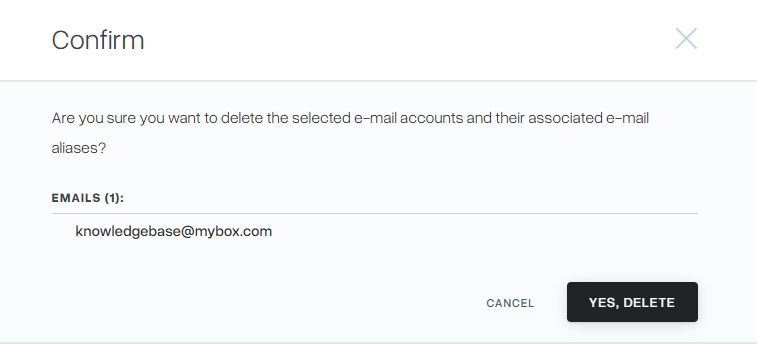
List of possible actions for a mailbox – 9

Permanently removes the mailbox and all associated data.

This action cannot be undone.

Collective actions

You can perform bulk operations on multiple mailboxes by selecting them using checkboxes and choosing an action from the batch menu.

Available collective actions include:

  • Enable
  • Disable
  • Delete
  • Change password
  • Edit quota
  • Archive

Summary

Mailbox actions in mybox provide full control over email account management, including security, storage limits, spam filtering, migration tools, and bulk operations.

Was this article helpful?

Didn't find an answer?

Our support team is here for you 24/7 – write to us and we will help you sort it out.

Helpdesk 24/7 Open a ticket in the mybox panel mybox panel Log in and manage your services

On this page

  1. Available actions
  2. Change description
  3. Change password
  4. Turn off
  5. Edit quota
  6. Edit AntiSpam
  7. Import messages
  8. Change password reminder
  9. Delete
  10. Collective actions
  11. Summary

Related articles

All in Mailbox & Webmail Management
How-to Mailbox & Webmail Management How do I import mailboxes? The mybox panel includes a built-in import tool that pulls messages from an external email account directly into a mybox mailbox. This… 1 min read How-to First Email & Domain Setup How to add a new mailbox Email accounts in mybox are tied to a domain in your account. You can create a mailbox on your own domain or… 1 min read How-to WebMail mail.mybox.com How to change your email password in WebMail The mailbox password can be changed directly in webmail at mail.mybox.com — without accessing the mybox panel. This is useful when the… 1 min read
mybox

Modular web hosting – free out of the box, modular to grow.

Help sections

  • Getting Started
  • Account & Billing
  • Domains & DNS
  • Hosting & Servers
  • Email
  • Security & SSL
  • WordPress & CMS
  • Grow Online

mybox

  • mybox.com
  • mybox panel
  • Webmail
  • Helpdesk 24/7
© 2026 mybox 1,680 articles